7.3.2. Request Approval Type Classroom Trainings
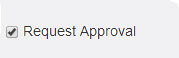
- Trainings with request approvals are normally termed as private trainings which require approval from reporting manager or administrator for the users to attend the trainings.
Note
The reporting manager is also an administrator who has the rights to approve/reject requests for online resources and programs.
- The process of accessing private trainings is similar to the normal trainings:
o Step 1: Create new trainings with request approval.o Step 2: Create new instances.o Step 3: Publish trainings to the user groups.o Step 4: Request approval is sent to the reporting manager or administrator.- On the reporting manager’s account, request approval trainings are listed under My Approvals tab.- The reporting manager or administrator receives mail on the same.- To approve: ClickClassroom > My Approvals. The My Approvals screen appears displaying, a list of users and trainings to be approved or rejected.
- If the training request is approved by the reporting manager, it appears in respective users account under My Training list, from where the user can access the trainings.- If the user is not assigned to a reporting manager, then the administrator must assign it by updating the user’s reporting manager detail under Users > Manage Users >Edit.
- The request approval trainings published, are also available for the reporting manager as he/she is also a user.o Step 6: Take users attendance.o Step 7: Give the feedbacks.o Step 8: Fill the action plan details.